Carlton Woods Golf Course
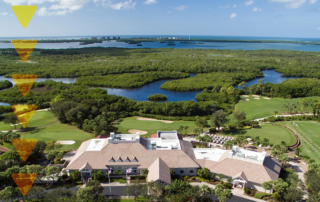
Carlton Woods Golf Course chose a Rain Bird IC System and Rain Bird Pump Station with Smart Pump to renovate their Nicklaus golf course irrigation system.


Carlton Woods Golf Course chose a Rain Bird IC System and Rain Bird Pump Station with Smart Pump to renovate their Nicklaus golf course irrigation system.
See why Crystal Downs Country Club chose Rain Bird’s golf course irrigation system when they needed a replacement during their renovation project.
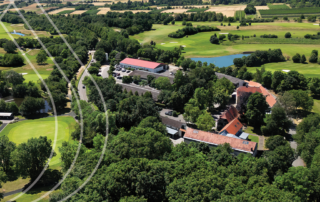
Opened in 1996, Hof Hausen vor der Sonne Golf sits in the richly wooded uplands of Germany, a region famed for its mineral springs and spa resorts and steeped in ancient history—with a castle, abbey, monuments, and Roman fortifications.
Discover why Oakland Hills Country Club partnered with Rain Bird when selecting an improved golf course irrigation system for their renovation project.
In partnership with the NZSTI and The R&A, the Certificate In Greenkeeping was launched in 2018 with the specific aim of improving the professional knowledge ...
When course superintendent Jennifer Torres came to New Jersey’s Westlake Golf & Country Club four years ago, she found an irrigation system that was aging and fragile — one that had taken a number of serious lightning strikes over the course of two decades.
Vienna has a continental climate. It’s the warmest, driest place in Austria, and Golf Club Wien is located in the warmest, driest part of the city. Add these challenging conditions to an outdated irrigation system that’s unable to apply water uniformly, and you can quickly see why the club needed a reliable, effective long-term solution that enables the greenkeeping team to create and maintain consistent playing surfaces.
Pebble Beach hosts the 78th U.S. Women's Open for the first time. The Women in Turf team return for the third year to help with the maintenance crew. Here some of the volunteer stories and takeaways.
To retake control of an outdated hydraulic irrigation system, the team at The Nest Golf Club searched for an irrigation solution where they could improve water distribution, remotely monitor heads and make routine maintenance easier — and in the process, maintain consistent water pressure levels for the most efficient coverage.
See how the Prestwick Golf Club upgraded their golf course to a smart irrigation system with Rain Bird’s IC System and CirrusPRO technology.
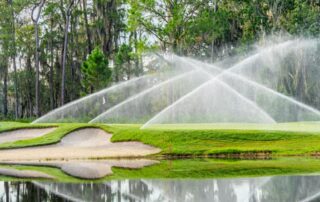
With innovation built into every irrigation rotor, Rain Bird makes it easy for you to maintain exceptional playing conditions. Every rotor we add to our ...
“Combining full-circle and part-circle capability results in less maintenance, greater versatility and ease of use – all in one rotor,” said Jeff Lawson, marketing manager for Rain Bird Golf. “Incorporating our legendary quality and innovation, they deliver unmatched performance for the most optimal course playing conditions.”
Rain Bird hosted an exclusive masterclass at the iconic Carnoustie Golf Links, providing greenkeepers with an unparalleled opportunity to learn about the latest technologies ...
Discover why Carnoustie Golf Links chose Rain Bird as their preferred irrigation solution provider. Uncover the game-changing technology, water efficiency, and sustainable solutions that ...
The golf course renovation at Old Palm Golf Club included installing a new smart irrigation system with a Rain Bird IC System.